
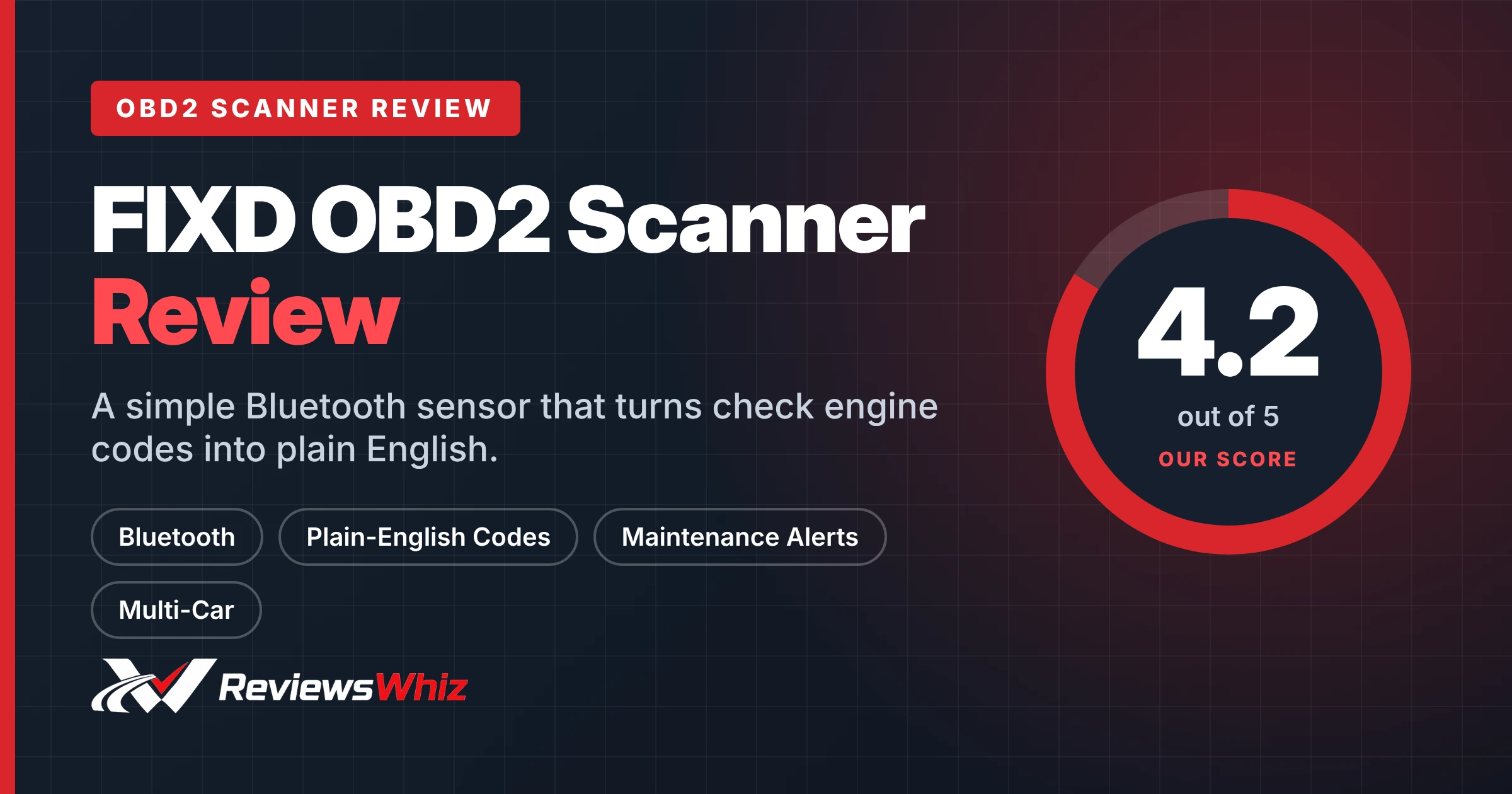
FIXD Review: Is This Bluetooth Car Scanner Worth It?
Affiliate disclosure: ReviewsWhiz is reader-supported. When you buy through links on this page, we may earn a commission from Amazon at no extra cost to you. Learn more.
FIXD is designed for drivers who are not car experts. It plugs into your OBD2 port, talks to your phone over Bluetooth and explains problems in plain English rather than confusing codes.
In this FIXD review, we explain what is free, what costs extra and who should buy it.

FIXD OBD2 Scanner
4.2 / 5 ReviewsWhiz Score- Plain-English explanations of 39,000+ issues
- Free unlimited scans and code resets
- Maintenance reminders and multi-car management
✅ Pros
- Very easy for beginners
- Cheap sensor price
- Manage several cars in one app
- Alerts for severe problems
- Can stay plugged in under the dash
❌ Cons
- Best features need a paid Premium plan
- Not a pro diagnostic tool
- Needs your phone
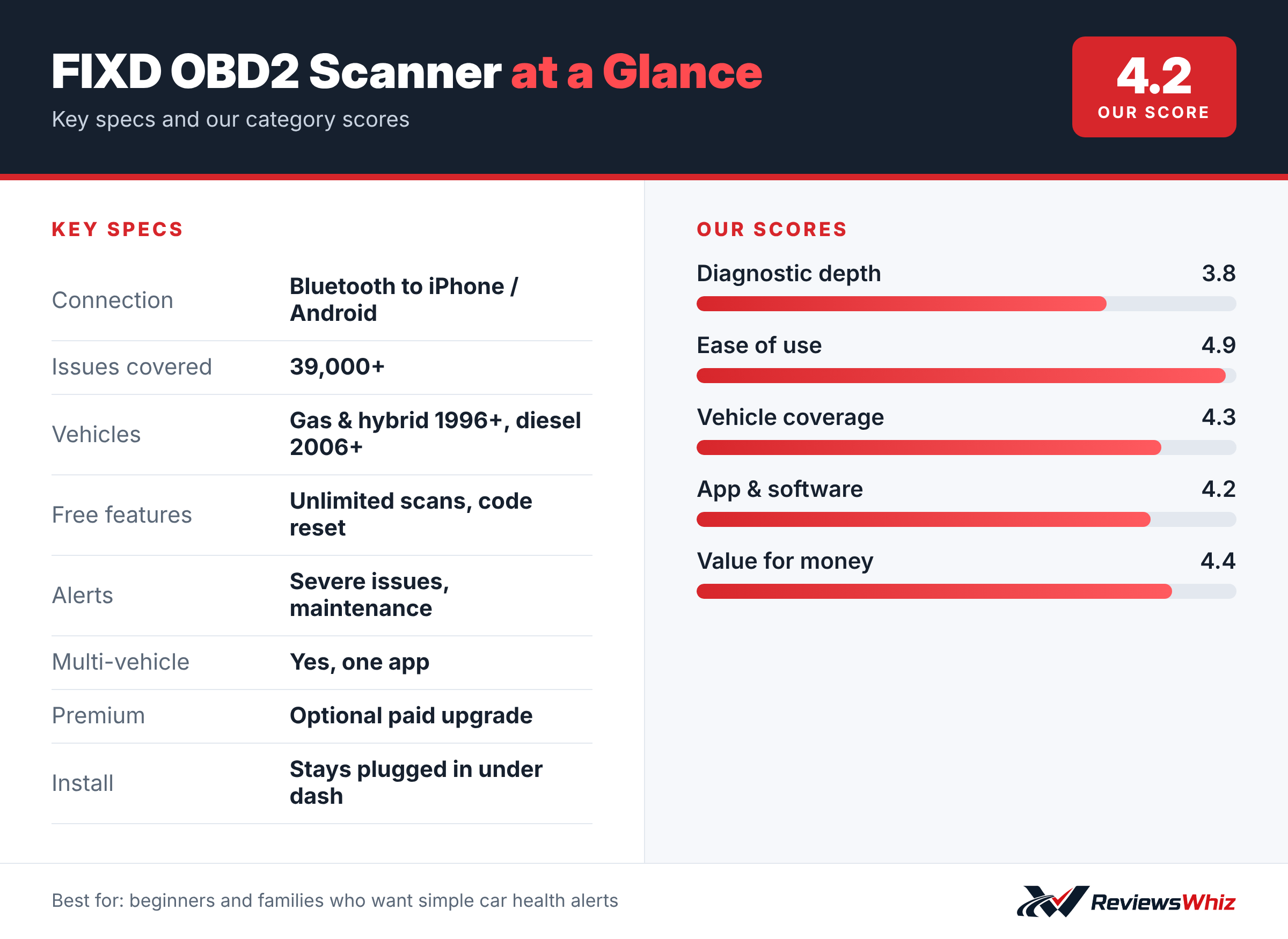
FIXD OBD2 Scanner Key Specifications
| Connection | Bluetooth to iPhone / Android |
| Issues covered | 39,000+ |
| Vehicles | Gas & hybrid 1996+, diesel 2006+ |
| Free features | Unlimited scans, code reset |
| Alerts | Severe issues, maintenance |
| Multi-vehicle | Yes, one app |
| Premium | Optional paid upgrade |
| Install | Stays plugged in under dash |
How FIXD Works
You plug the small sensor into your car’s OBD2 port and connect it to the FIXD app on iPhone or Android. The app scans for problems and explains them in simple terms, along with how serious they are.
What Is Free and What Is Premium
The free app includes unlimited scans for your family’s vehicles, simple issue explanations, severe-issue alerts, maintenance reminders and the ability to reset codes. A paid Premium plan adds repair recommendations, cost estimates, vehicle value and live mechanic support. A free Premium trial is included.
Multi-Car Households
FIXD lets you save scans by vehicle, track mileage-based maintenance and share results with family or a shop. That makes it handy if you look after a partner’s or teenager’s car.
Coverage
It supports gasoline and hybrid vehicles from 1996 and diesel vehicles from 2006. Features can vary by make and model.
Setting Up FIXD
FIXD is designed to stay plugged into your car. Plug the small sensor into the OBD2 port under the dashboard, download the free FIXD app and follow the pairing steps. The app asks for your car’s details, then runs a first scan and shows any issues in plain English along with a severity rating.
Because the sensor stays in place, it can alert you when a new problem appears and remind you about routine maintenance like oil changes, tire rotations and filter replacements based on your mileage.
- Plug in with the engine off, then start the car.
- Pair through the FIXD app, not your phone’s Bluetooth menu.
- Add your current mileage for accurate maintenance reminders.
- Add other family cars to the same account if you buy extra sensors.
Who FIXD Works Best For
FIXD is aimed at drivers who are not mechanics and want to understand what a check engine light means without visiting a shop. It is popular with parents who manage family cars, people who buy used cars and drivers who want a simple maintenance tracker.
If you work on your own car and want deep live data, ABS or airbag codes, or service resets, a tool like BlueDriver or a tablet scanner will serve you better.
FIXD vs Other Bluetooth Scanners
| Model | Main strength | Trade-off | Best for |
|---|---|---|---|
| FIXD | Very simple app, maintenance reminders | Advanced features need Premium | Non-mechanics and families |
| BlueDriver Pro | Repair reports, more systems, no subscription | Higher upfront price | DIY owners |
| OBDLink MX+ | Works with many third-party apps | More technical | Enthusiasts |
| Autel AutoLink AL319 | No phone needed | Wired, engine codes only | Glove box backup |
Free vs Premium: What You Actually Get
With the free app, you can scan your car as often as you like, read codes in plain English, see severity, and clear the check engine light. That alone covers what most drivers need.
FIXD Premium adds features such as estimated repair costs, a mechanic hotline, issue forecasts and extra diagnostics. Some owners find the hotline helpful when they are unsure about a repair. Others never upgrade. Decide after using the free version for a while.
Things to Keep in Mind
- Coverage is strongest for gas and hybrid cars from 1996 on and diesels from 2006 on.
- Leaving any OBD2 device plugged in draws a small amount of power; if you park for weeks, unplug it.
- FIXD does not perform bidirectional tests or programming.
- Clearing a code does not fix the cause; if the issue remains, the light will return.
Using FIXD When Buying a Used Car
A quick FIXD scan during a test drive can show hidden problems. Look for stored or pending codes and check whether the emissions readiness monitors are complete. If many monitors are not ready, the seller may have cleared codes recently, which is a reason to ask more questions or get a pre-purchase inspection. FIXD’s plain-English explanations make this check easy even if you have never used a scanner.
Final Buying Tips
- Start with the free app and upgrade only if you need the extra features.
- Buy multiple sensors if you want to monitor several family cars.
- Unplug the sensor if the car will sit unused for several weeks.
- Pair FIXD with a mechanic you trust for repairs it flags as serious.
Privacy and Battery Notes
FIXD connects to your phone over Bluetooth and stores vehicle data in its app. If you share a car with family, you can add them to the account so everyone sees alerts. The sensor draws very little power, but any device left in the OBD2 port can drain a weak battery if a car sits for weeks. Unplug it before long storage.
Who Should Buy the FIXD OBD2 Scanner?
Buy it if you are not a car expert and want simple, phone-based alerts and explanations for your household’s cars.
Skip it if you do your own repairs and want deep data with no upsells. BlueDriver is the better choice.
Alternatives to Consider
- BlueDriver Pro: More diagnostics, no subscription.
- OBDLink MX+: A faster adapter for enthusiasts.
- Autel AL319: A simple screen-based reader with no phone needed.
Final Verdict
FIXD is one of the easiest ways to understand your car’s warning lights. It is not a mechanic’s tool, and the best extras cost money, but for everyday drivers it can prevent panic and expensive surprises.
Helpful Free Car Tools
Related Reviews
Frequently Asked Questions
Does FIXD require a subscription?
No for basic scans and resets. Repair estimates and mechanic support need the optional Premium plan.
Does FIXD work on diesel vehicles?
Yes, diesels from 2006 onward.
Can I use FIXD on more than one car?
Yes. The app supports multiple vehicles.
Can FIXD clear the check engine light?
Yes, it can reset codes.
Does FIXD work with iPhone?
Yes, it works with both iPhone and Android over Bluetooth.
How we evaluated: this review is based on the manufacturer’s published specifications, the product’s feature set, and how it compares with competing products in the same price range. Product details and images are provided by Amazon and may change. Prices and availability are accurate as of the time shown on Amazon and are subject to change.