
Garmin Dash Cam X310 Review: Compact 4K With a Touchscreen
Affiliate disclosure: ReviewsWhiz is reader-supported. When you buy through links on this page, we may earn a commission from Amazon at no extra cost to you. Learn more.
The Garmin Dash Cam X310 is Garmin’s compact 4K model. It adds a built-in polarizer to cut windshield glare and a 2.4-inch touchscreen for easy playback.
In this Garmin X310 review, we look at its video, features and subscription requirements.
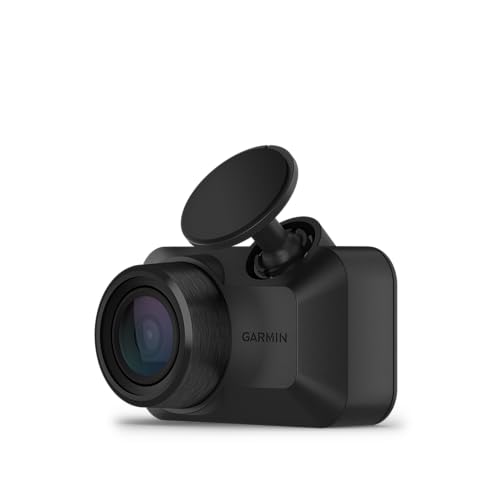
Garmin Dash Cam X310
4.5 / 5 ReviewsWhiz Score- 4K Ultra HD with a 140° lens
- Built-in Clarity polarizer
- 2.4-inch touchscreen and voice control
✅ Pros
- Sharp 4K video
- Polarizer reduces glare
- Touchscreen is easy to use
- Compact design
- GPS stamps
❌ Cons
- Parking Guard and Live View need a paid Vault subscription
- Front-only
- Premium price
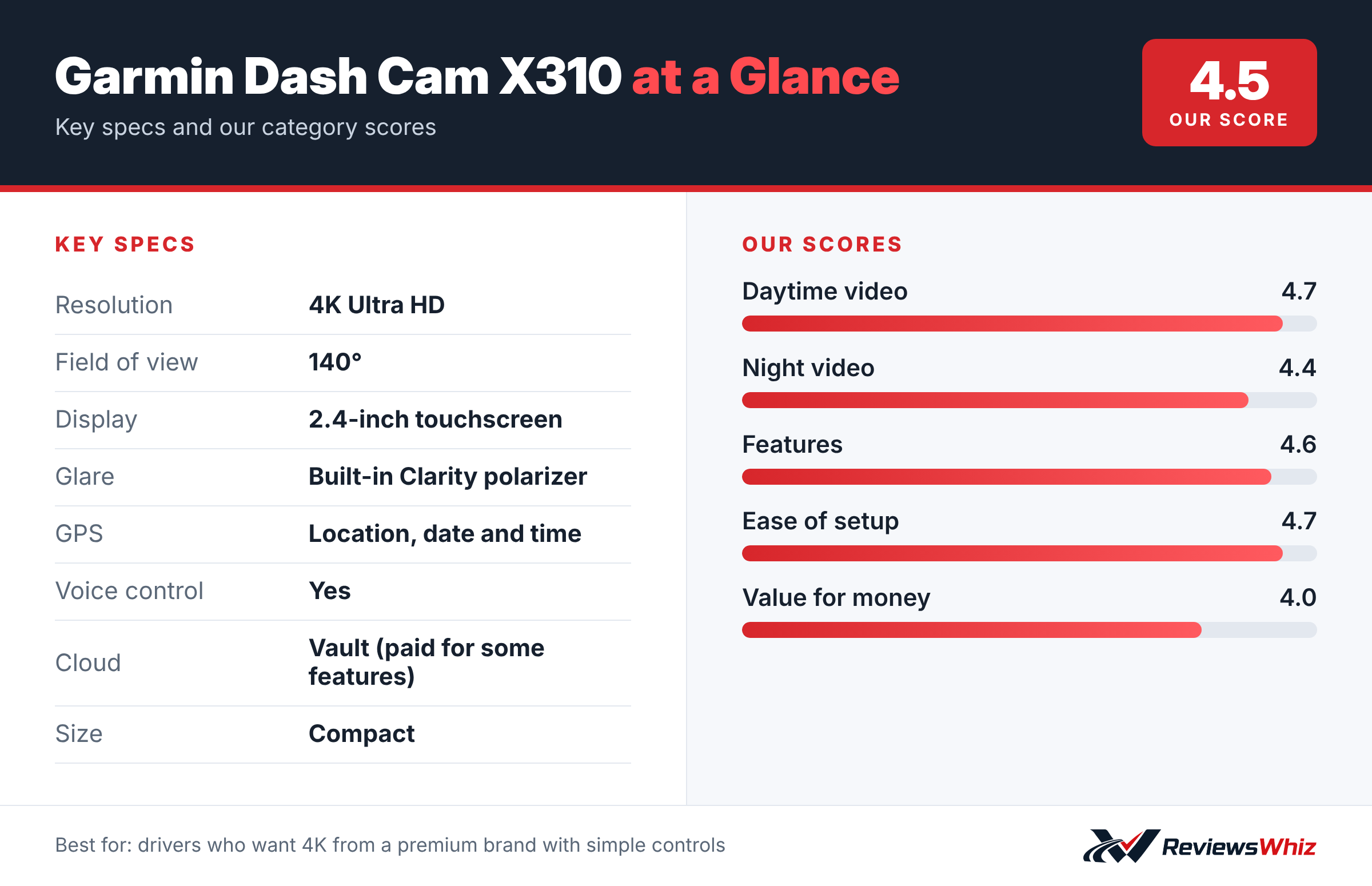
Garmin Dash Cam X310 Key Specifications
| Resolution | 4K Ultra HD |
| Field of view | 140° |
| Display | 2.4-inch touchscreen |
| Glare | Built-in Clarity polarizer |
| GPS | Location, date and time |
| Voice control | Yes |
| Cloud | Vault (paid for some features) |
| Size | Compact |
Video Quality
The X310 records 4K Ultra HD with a 140° field of view. The built-in Garmin Clarity polarizer reduces glare from the windshield, improving detail in bright conditions.
Touchscreen and Voice Control
A 2.4-inch LCD touchscreen makes it easy to review clips and adjust settings. Voice control lets you save video and start or stop audio recording.
Connected Features
Saved clips go to Garmin’s online Vault for easy sharing. Parking Guard notifications and remote Live View require a paid Vault subscription, constant power and Wi-Fi.
Installing the Garmin X310
The X310 is compact and uses Garmin’s magnetic mount, which makes it easy to remove the camera when parking. Mount it behind the mirror, run the cable along the headliner and pillar trim and plug into the 12V socket. The 2.4-inch touchscreen lets you aim the camera and adjust settings without a phone.
Pair it with the Garmin Drive app to download clips and manage settings.
- Place it behind the mirror to keep your view clear.
- Use the touchscreen to set the angle.
- Use a high-endurance microSD card.
- Keep firmware updated through the app.
4K With a Built-In Polarizer
The X310 records 4K video with a built-in Clarity polarizer, which reduces windshield glare and reflections from the dashboard. That is a feature many cameras offer only as a clip-on accessory. The result is clearer footage on sunny days.
X310 vs Other Premium Dash Cams
| Model | Main strength | Trade-off | Best for |
|---|---|---|---|
| Garmin Dash Cam X310 | 4K, touchscreen, polarizer | Paid Vault features | Garmin users |
| Garmin Dash Cam 67W | 180° lens, lower price | 1440p | Wide coverage |
| VIOFO A119M Pro | 4K at lower price | No screen | Value 4K |
| Nextbase 622GW | Stabilization, Alexa | Battery design | Feature-rich |
Touchscreen and Voice Control
The touchscreen makes reviewing clips at the roadside easy. Voice control lets you save video, take photos and turn audio on or off hands-free.
Vault, Parking Guard and Live View
Garmin Vault stores clips in the cloud. Some features, such as Parking Guard and Live View, require a paid Vault subscription along with constant power and Wi-Fi in the car. Factor that cost in if you want remote features.
Who It Is For
The X310 suits drivers who want 4K quality, a touchscreen and Garmin’s polished app. If you want rear coverage, look at a dual-channel camera.
Tips
- Use a 128GB or larger high-endurance card.
- Turn on incident detection.
- Clean the windshield regularly.
Warranty
Garmin offers a one-year warranty and strong customer support.
Is the X310 Worth the Premium Price?
The X310 costs more than many 4K dash cams. You are paying for Garmin’s polished app, a touchscreen, a built-in polarizer, reliable voice control and strong customer support. If those matter to you and you already use Garmin products, the premium is easier to justify. If you mainly want the best footage for the money, VIOFO’s 4K cameras offer similar detail at a lower price, though without a screen.
Settings and Memory Card Tips
- Use a 128GB or 256GB high-endurance card for 4K.
- Turn on incident detection at medium sensitivity.
- Enable GPS for location and time stamps.
- Update firmware through Garmin Drive every few months.
- Back up important clips to your phone right away.
Adding More Cameras
Garmin’s app can manage multiple Garmin dash cams in one car, so you can add a Mini 2 as a rear-window camera later and view both feeds together. That makes the X310 a good starting point if you want to expand coverage over time.
Who Should Choose Something Else
Drivers who want front and rear coverage in one box at a lower price should look at the VIOFO A229 Pro or Rove R2-4K Dual Pro.
What Is in the Box
The X310 comes with the camera, a magnetic mount with adhesive, a car power cable with a dual USB adapter and a quick start guide. A microSD card may need to be bought separately depending on the bundle, so check the listing. Garmin’s magnetic mount makes it easy to take the camera with you when parking in busy areas.
Night Footage
Garmin’s Clarity HDR optics help balance bright headlights and dark roadsides, and 4K resolution keeps more detail than lower-resolution cameras. Night footage is clear enough for most incidents on lit streets. On very dark roads, any front camera has limits, so keep your headlights and windshield clean for the best results.
Who Should Buy the Garmin Dash Cam X310?
Buy it if you want premium 4K from Garmin with an easy touchscreen.
Skip it if you want parking alerts without a subscription. VIOFO cameras offer parking mode without ongoing fees.
Alternatives to Consider
- Garmin Dash Cam 67W: Wider 180° view at 1440p.
- VIOFO A119M Pro: Cheaper compact 4K.
- Nextbase 622GW: Feature-packed 4K.
Final Verdict
The Garmin Dash Cam X310 is a polished, compact 4K camera. The polarizer and touchscreen are real advantages, but factor in the Vault subscription if you want remote features.
Helpful Free Car Tools
- Dash Cam SD Card Recording Time Calculator: Hours of video by card size, resolution and channels.
- Dash Cam Field of View Calculator: Road width covered at a distance.
- Browse all free car tools and calculators
Related Reviews
Frequently Asked Questions
Is the Garmin X310 4K?
Yes, 4K Ultra HD.
Does it have a screen?
Yes, a 2.4-inch touchscreen.
Does Parking Guard need a subscription?
Yes, a paid Vault subscription is required.
Does it have GPS?
Yes.
Does it have a polarizer?
Yes, a built-in Clarity polarizer.
How we evaluated: this review is based on the manufacturer’s published specifications, the product’s feature set, and how it compares with competing products in the same price range. Product details and images are provided by Amazon and may change. Prices and availability are accurate as of the time shown on Amazon and are subject to change.