
BlueDriver Pro Review: The Best Bluetooth OBD2 Scanner With No Subscription?
Affiliate disclosure: ReviewsWhiz is reader-supported. When you buy through links on this page, we may earn a commission from Amazon at no extra cost to you. Learn more.
When your check engine light comes on, a basic code reader tells you a code, not what to do about it. BlueDriver Pro goes further. It plugs into your OBD2 port, connects to your phone over Bluetooth and gives you repair reports that explain the likely cause and fix.
In this BlueDriver review, we look at what it can read, how its repair reports work, and why its no-subscription model makes it stand out.
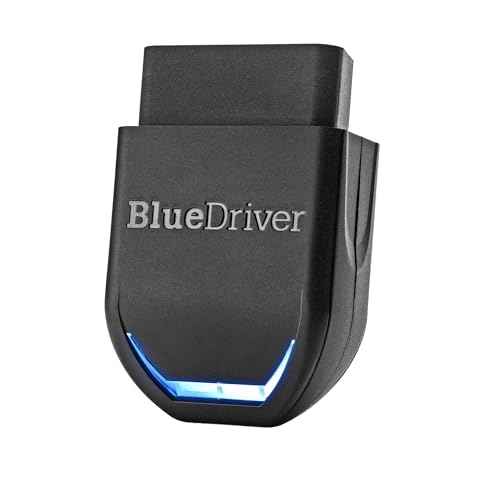
BlueDriver Pro
4.7 / 5 ReviewsWhiz Score- Reads engine, ABS, SRS, TPMS and more on supported vehicles
- Unlimited technician-verified repair reports
- One-time purchase, no subscription
✅ Pros
- No subscription or hidden fees
- Repair reports explain causes and fixes
- Reads ABS, airbag and TPMS codes on supported vehicles
- Live data, freeze frame and Mode 6
- Strong app on both iPhone and Android
❌ Cons
- Needs your phone to work
- No bidirectional controls like pro scan tools
- Enhanced coverage varies by make and model
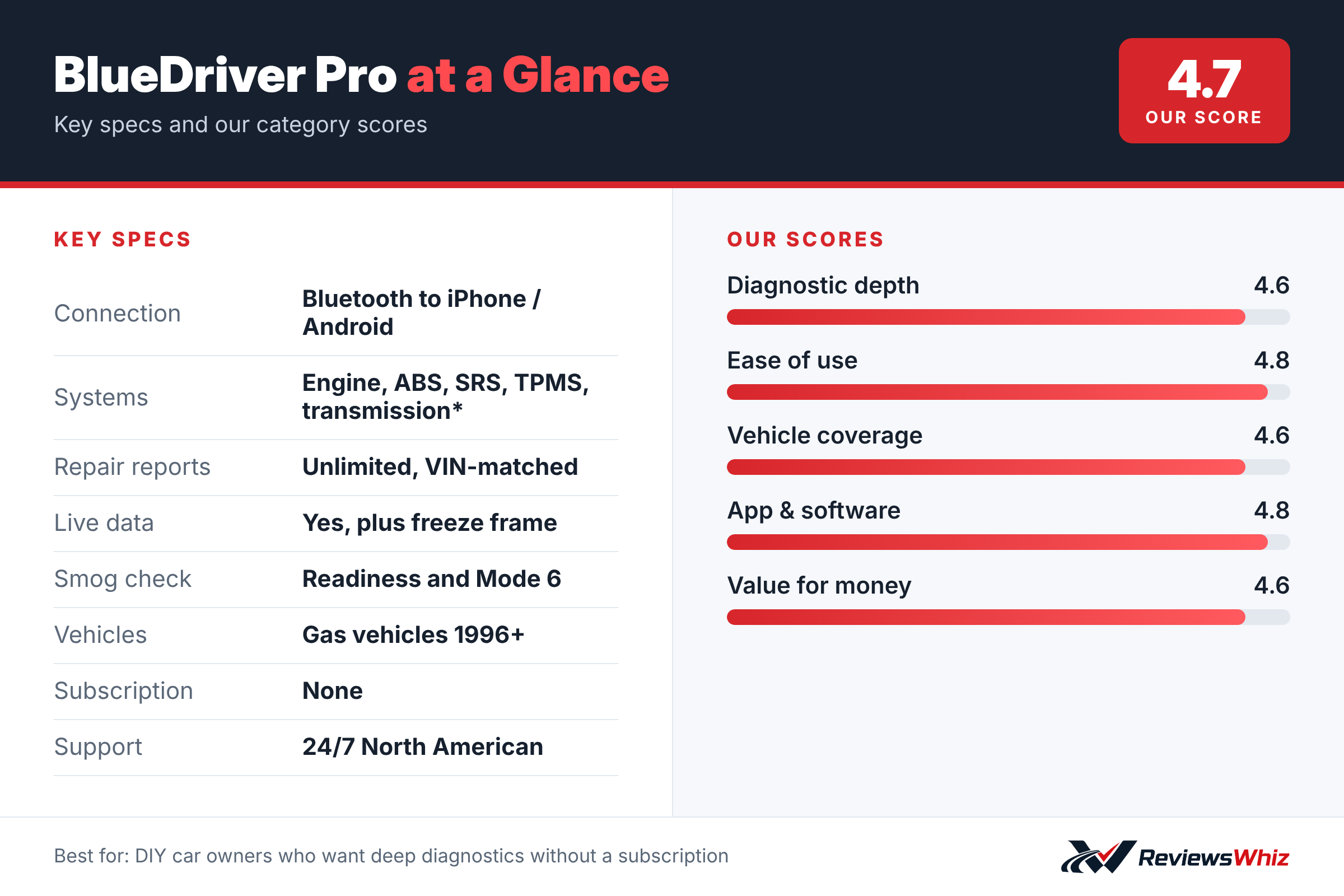
BlueDriver Pro Key Specifications
| Connection | Bluetooth to iPhone / Android |
| Systems | Engine, ABS, SRS, TPMS, transmission* |
| Repair reports | Unlimited, VIN-matched |
| Live data | Yes, plus freeze frame |
| Smog check | Readiness and Mode 6 |
| Vehicles | Gas vehicles 1996+ |
| Subscription | None |
| Support | 24/7 North American |
What BlueDriver Can Diagnose
Like every OBD2 scanner, BlueDriver reads and clears check engine codes. Where it pulls ahead of cheap readers is enhanced diagnostics. On supported vehicles, it can read codes from the ABS, SRS (airbag), TPMS, transmission and other modules.
BlueDriver lists strong support for GM, Ford, Stellantis (RAM, Jeep, Chrysler), Toyota, Honda, Nissan, Mazda, Subaru, Hyundai, Mercedes-Benz, BMW and VW. Always check the compatibility chart for your exact vehicle before buying.
Repair Reports: The Killer Feature
When BlueDriver reads a code, it can generate a repair report matched to your VIN. These reports include the code definition, possible causes and fixes reported by technicians. For a DIYer, that turns a confusing code into a clear next step and can save you from paying for parts you do not need.
Live Data and Smog Readiness
You can monitor live sensor data while you drive, view freeze frame data from when a code was set, check smog readiness monitors and view Mode 6 test results. That is useful for tracking down intermittent problems or confirming a repair before an emissions test.
No Subscription, Ever
Many app-based scanners lock key features behind monthly fees. BlueDriver is a one-time purchase that includes all features and free app updates. There are no accounts required, and the company says it does not sell your personal data.
How to Set Up and Use BlueDriver
Getting started with BlueDriver takes about five minutes. Download the free BlueDriver app on your iPhone or Android phone, plug the sensor into your car’s OBD2 port and pair it over Bluetooth inside the app. The OBD2 port is usually under the dashboard near the steering column; on most cars you can find it without tools.
With the ignition on, the app reads your vehicle’s VIN and pulls the right data for your make, model and year. From there you tap Code Scan to read check engine codes, and the app shows each code with a plain-English description. For cars it supports, you can also scan ABS, airbag (SRS), transmission and other modules.
- Locate the OBD2 port, usually under the driver-side dash.
- Turn the ignition to ON, or start the engine for live data.
- Pair the sensor inside the BlueDriver app, not in your phone’s Bluetooth settings.
- Run a scan and open the repair report for each code.
Real Situations Where BlueDriver Helps
The most common reason people buy an OBD2 scanner is a check engine light. Instead of paying a shop just to read the code, BlueDriver tells you what triggered it and how serious it is likely to be. A loose gas cap, for example, often sets an evaporative emissions code that you can fix yourself in seconds.
BlueDriver is also helpful when you are buying a used car. A quick scan shows stored codes and readiness monitors, which can reveal whether a seller recently cleared codes to hide a problem. For home mechanics, live data such as fuel trims, coolant temperature and oxygen sensor readings helps narrow down problems before buying parts.
Finally, the repair reports help you talk to a mechanic with confidence. When you already know the likely cause and the common fix, it is easier to judge whether a quote is fair.
BlueDriver vs Other Popular Scanners
| Model | Type | Beyond engine codes | Subscription | Best for |
|---|---|---|---|---|
| BlueDriver Pro | Bluetooth + app | ABS, SRS, TPMS, transmission on many vehicles | None | DIY owners who want repair guidance |
| FIXD | Bluetooth + app | Limited without premium | Optional premium plan | Basic monitoring for non-mechanics |
| OBDLink MX+ | Bluetooth + app | Yes, with OBDLink app add-ons | Some paid add-ons | Enthusiasts using third-party apps |
| Autel MaxiCOM MK808S | Tablet | All systems plus active tests | Updates after first year | Serious DIY and pro work |
BlueDriver sits in the sweet spot for most car owners: more depth than basic code readers, no subscription, and no need to learn a full professional tablet.
Things to Know Before You Buy
- BlueDriver works with gas vehicles sold in the US from 1996 on, and diesel coverage is limited.
- Enhanced coverage for ABS, airbag and other systems varies by make, model and year, so check your vehicle on BlueDriver’s website first.
- It can read and clear codes, but it does not perform bidirectional tests or programming like pro scan tools.
- Clearing a code does not fix the problem; if the cause remains, the light will come back.
- You need a compatible smartphone or tablet with Bluetooth.
Support and Long-Term Value
One reason BlueDriver has stayed popular is its support. The company offers phone and email help from a North American team, and the app keeps getting updates at no extra charge. Because there is no subscription, the price you pay up front is the total cost, which makes it good value compared with scanners that lock key features behind a monthly plan.
BlueDriver also includes a one-year warranty. The sensor itself is small and has no battery, so there is very little to wear out. Many owners leave it in the glove box and use it for years across several cars.
Who Should Buy the BlueDriver Pro?
Buy it if you do your own car maintenance, you want to understand check engine lights before visiting a shop, or you want ABS and airbag codes without paying a subscription.
Skip it if you need bidirectional tests, coding or service resets. A tablet scanner like the Autel MK808S is better for advanced DIY work.
Alternatives to Consider
- FIXD: A cheaper, simpler Bluetooth sensor aimed at beginners.
- OBDLink MX+: A fast Bluetooth adapter that works with many third-party apps.
- Autel MaxiCOM MK808S: A full tablet scan tool with bidirectional tests.
Final Verdict
BlueDriver Pro hits the sweet spot for DIY car owners. It reads more than basic code readers, explains what codes mean in plain language and never asks you for a subscription. If you want to take control of your check engine light, it is one of the smartest tools you can keep in your glove box.
Helpful Free Car Tools
Related Reviews
Frequently Asked Questions
Does BlueDriver require a subscription?
No. It is a one-time purchase that includes all features and free app updates.
Does BlueDriver read ABS and airbag codes?
Yes, on supported vehicles. It offers enhanced diagnostics for ABS, SRS, TPMS, transmission and more.
Does BlueDriver work with iPhone and Android?
Yes. It connects over Bluetooth to both iPhone and Android devices.
Will BlueDriver work on my car?
It works with gas vehicles made in 1996 or newer, plus select light-duty trucks and diesels. Check the compatibility chart for enhanced features.
Can BlueDriver clear the check engine light?
Yes. It can read and clear trouble codes, but you should fix the underlying problem first or the light will return.
How we evaluated: this review is based on the manufacturer’s published specifications, the product’s feature set, and how it compares with competing products in the same price range. Product details and images are provided by Amazon and may change. Prices and availability are accurate as of the time shown on Amazon and are subject to change.