
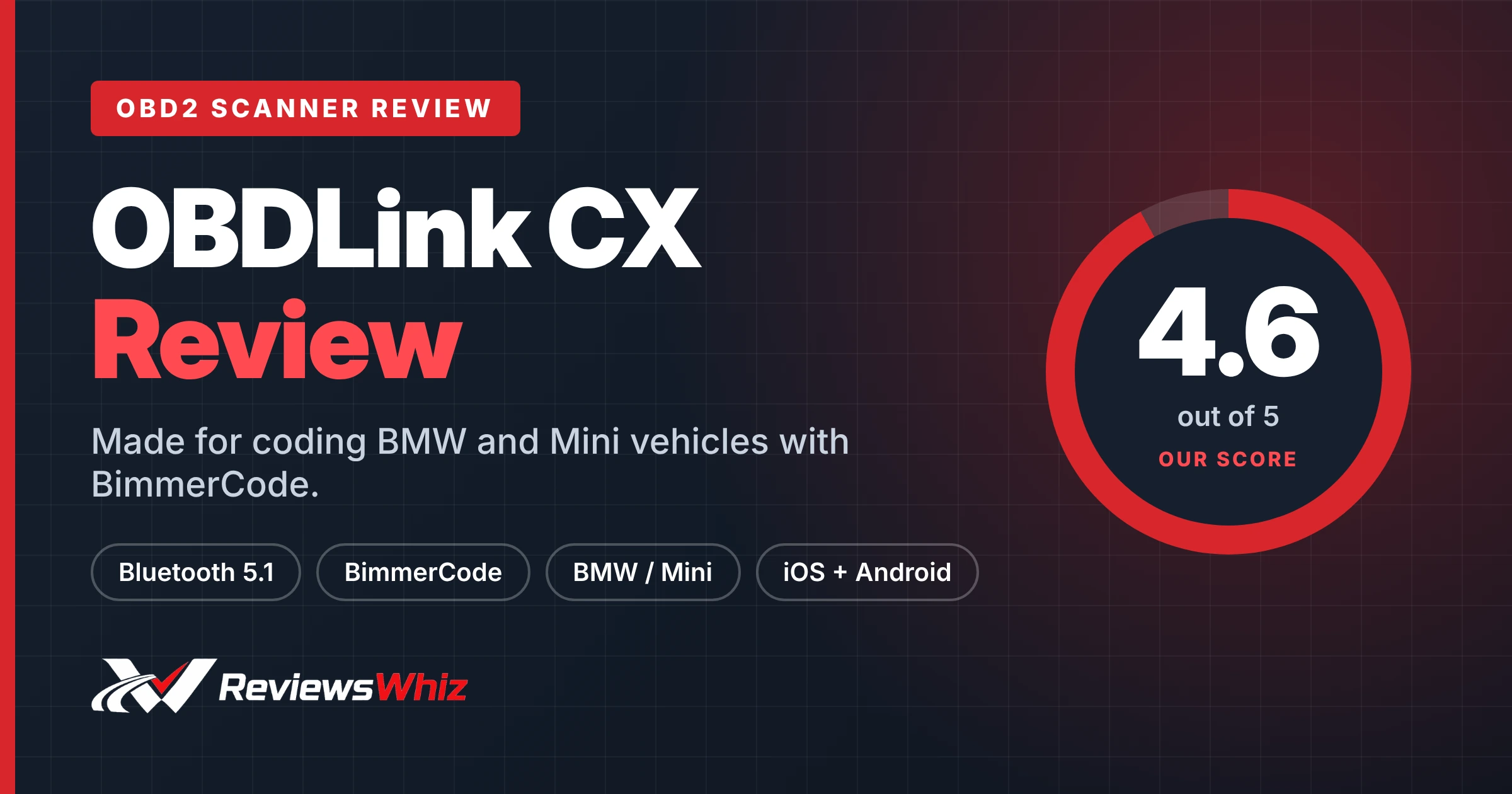
OBDLink CX Review: The Best Adapter for BimmerCode
Affiliate disclosure: ReviewsWhiz is reader-supported. When you buy through links on this page, we may earn a commission from Amazon at no extra cost to you. Learn more.
If you own a BMW or Mini and want to change hidden settings, BimmerCode is the most popular app. The OBDLink CX is the adapter built specifically for it, and it is recommended by the BimmerCode team.
In this OBDLink CX review, we look at why a dedicated adapter matters for coding.

OBDLink CX
4.6 / 5 ReviewsWhiz Score- Built for and recommended by BimmerCode
- Full coverage of BimmerCode-supported features
- Safe to leave plugged in
✅ Pros
- Rock-solid connection for safe coding
- Full BimmerCode feature support
- Easy in-app pairing
- Overvoltage and sleep protection
- Includes OBDLink app for diagnostics
❌ Cons
- BimmerCode app costs extra
- Mainly useful for BMW and Mini
- Not a full diagnostic scanner
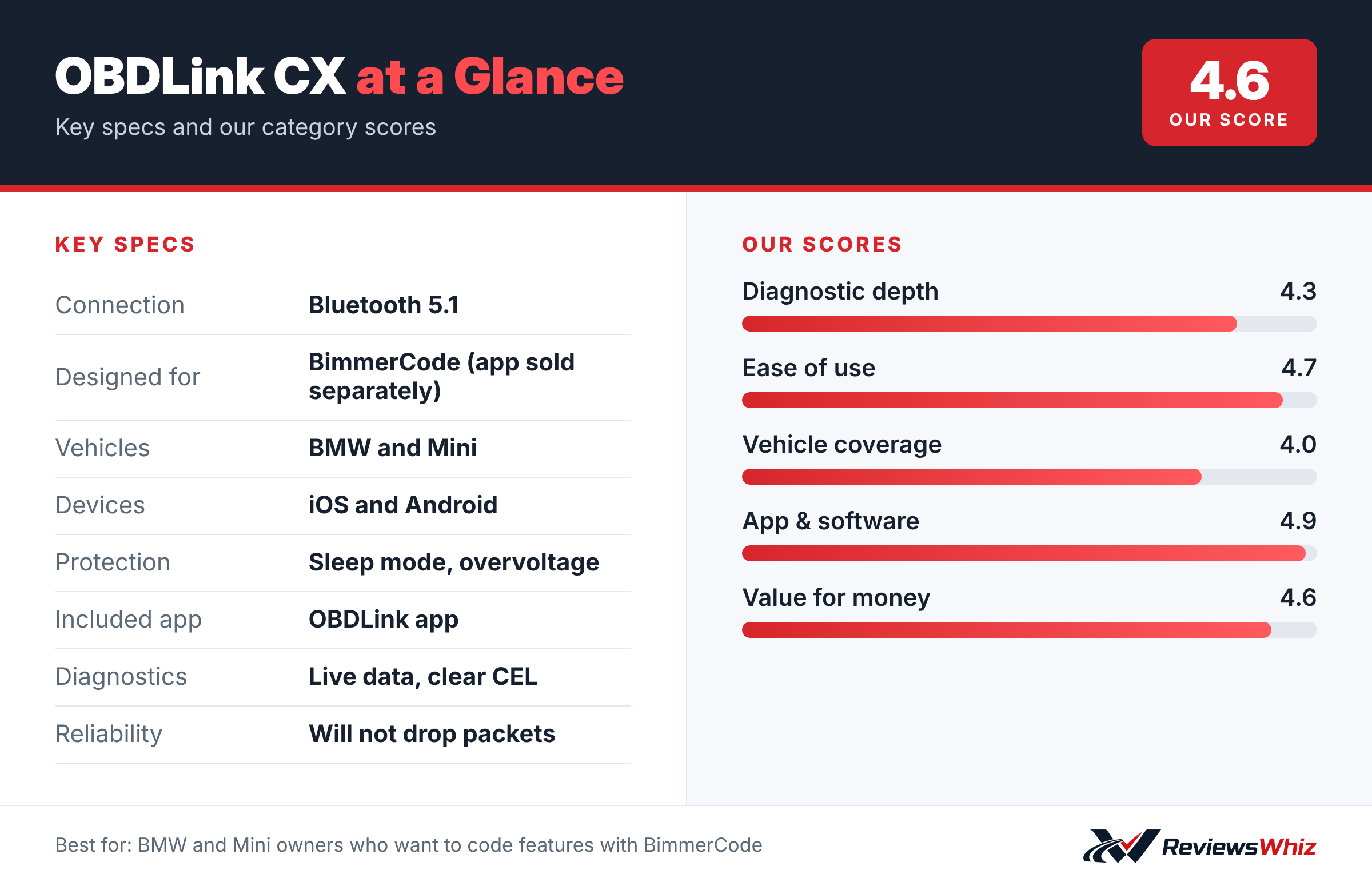
OBDLink CX Key Specifications
| Connection | Bluetooth 5.1 |
| Designed for | BimmerCode (app sold separately) |
| Vehicles | BMW and Mini |
| Devices | iOS and Android |
| Protection | Sleep mode, overvoltage |
| Included app | OBDLink app |
| Diagnostics | Live data, clear CEL |
| Reliability | Will not drop packets |
Why It Matters for Coding
Coding writes data to your car’s modules, so a dropped connection can cause problems. The OBDLink CX is designed for a stable connection that avoids data corruption and dropped packets.
BimmerCode Coverage
OBDLink says the CX supports 100% of the vehicles, protocols and advanced features that BimmerCode supports. That includes newer models that cheaper adapters may struggle with.
Everyday Use
With sleep mode and overvoltage protection, it can stay plugged in. The included OBDLink app can monitor live data and clear the check engine light.
What the OBDLink CX Is Built For
The OBDLink CX is designed specifically for BMW and MINI owners who want to code their cars using the BimmerCode app. Coding lets you change hidden settings, such as disabling auto start-stop by default, enabling video in motion on some models, changing light behavior, folding mirrors with the key fob or turning off seat belt chimes. These options are already in your car’s software; coding simply turns them on or off.
Because coding writes to your car’s modules, a stable connection is critical. OBDLink designed the CX so it does not drop data packets, which reduces the risk of failed coding sessions.
Getting Started
Plug the CX into the OBD2 port, download BimmerCode (sold separately) and the free OBDLink app, and pair the adapter through the app. In BimmerCode, connect to your car, back up your current coding and then choose the options you want to change. Always keep the car on a battery charger during coding to avoid voltage drops.
The OBDLink app also lets you read and clear check engine codes and view live data, which adds basic diagnostic capability.
- Connect a battery charger before coding.
- Back up modules before changing anything.
- Change one option at a time and test it.
- Keep notes of what you changed.
CX vs Other Coding Adapters
| Model | Main strength | Trade-off | Best for |
|---|---|---|---|
| OBDLink CX | Stable Bluetooth 5.1, built for BimmerCode | BMW and MINI focus | BMW coding |
| OBDLink MX+ | Works with many apps and brands | Higher price | Multi-brand enthusiasts |
| Carista EVO | Coding on many brands | Subscription | VAG and others |
| Veepeak OBDCheck BLE+ | Low price | Less stable for coding | Basic reading |
Popular BimmerCode Changes
- Remember the last auto start-stop setting.
- Enable digital speed display.
- Change the number of turn signal flashes.
- Disable the legal disclaimer on the iDrive screen.
- Turn on mirror folding with the key fob.
Options vary by model and year. BimmerCode shows which options your car supports.
Battery-Friendly Design
The CX includes a sleep mode and overvoltage protection, so it is safe to leave plugged in for short periods. If you will park the car for weeks, unplug it.
Who It Is For
The CX is ideal for BMW and MINI owners who want to customize their cars. If you own other brands, the MX+ is more versatile.
Tips
- Update the adapter firmware in the OBDLink app.
- Do not start coding with a low battery.
- Restore your backup if something does not work as expected.
Is Coding Safe?
Coding with BimmerCode changes settings that already exist in your car’s software, and the app includes backup and restore features. When done carefully, it is generally safe. The main risks come from low battery voltage or a dropped connection during writing, which is why a stable adapter like the CX and a battery charger matter. Avoid changing settings you do not understand, and remember that some changes may affect warranty discussions with your dealer, so keep your backups so you can restore the original coding if needed.
What Is in the Box
You get the OBDLink CX adapter and a quick start card. BimmerCode is purchased separately through the App Store or Google Play. The free OBDLink app adds basic diagnostics like reading and clearing check engine codes and viewing live data.
Final Thoughts
For BMW and MINI owners who want to personalize their cars safely, the CX is one of the most recommended adapters. Owners of other brands should look at the MX+ instead.
Who Should Buy the OBDLink CX?
Buy it if you own a BMW or Mini and plan to use BimmerCode.
Skip it if you drive another brand. The OBDLink MX+ works with more apps and vehicles.
Alternatives to Consider
- OBDLink MX+: Works with FORScan, Torque and more.
- Carista EVO: Coding for several brands with a subscription.
- Veepeak OBDCheck BLE+: Cheaper general adapter.
Final Verdict
The OBDLink CX is the safest, simplest way to use BimmerCode. For BMW and Mini owners who like to customize their cars, it is the adapter to buy.
Helpful Free Car Tools
- VIN Decoder: Make, model, year and specs from a VIN.
- Browse all free car tools and calculators
Related Reviews
Frequently Asked Questions
Is the BimmerCode app included?
No, it is sold separately.
Does the OBDLink CX work with iPhone?
Yes, iOS and Android.
Can I leave it plugged in?
Yes, it has sleep mode and overvoltage protection.
Does it work on non-BMW cars?
It is designed for BMW and Mini; the OBDLink app offers basic diagnostics on other cars.
Is it safe for coding?
Yes, it is designed to avoid dropped packets and data corruption.
How we evaluated: this review is based on the manufacturer’s published specifications, the product’s feature set, and how it compares with competing products in the same price range. Product details and images are provided by Amazon and may change. Prices and availability are accurate as of the time shown on Amazon and are subject to change.